
How IndexPilot works
Three steps to indexing clarity
From connecting your website to submitting eligible URLs to Google — IndexPilot handles the complexity so you can focus on what matters.
Start free scan →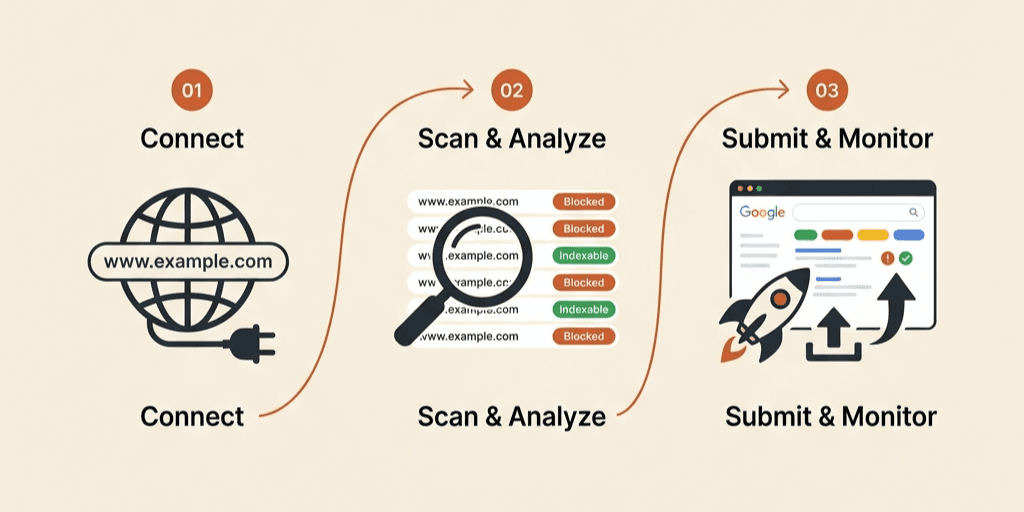
01
Connect your website
Enter your domain or sitemap URL. IndexPilot discovers all reachable pages — even ones not in your sitemap. Connect Google Search Console in one click to pull existing coverage data.
- Auto-discover sitemap.xml and sitemap index
- Import URLs from existing sitemaps
- Connect GSC with one-click OAuth
- Support for custom URL lists
01
Auto-discover sitemap.xml and sitemap index
Import URLs from existing sitemaps
Connect GSC with one-click OAuth
02
Scan and analyze every URL
IndexPilot crawls every discovered URL and runs 12+ technical checks: HTTP status, noindex, robots.txt, canonical, redirects, schema markup, and more.
- HTTP status code checks (200, 301, 404, 5xx)
- Noindex meta tag and X-Robots-Tag detection
- Robots.txt Disallow rule validation
- Canonical tag conflict detection
- Redirect chain tracing
- JSON-LD schema markup parsing
02
HTTP status code checks (200, 301, 404, 5xx)
Noindex meta tag and X-Robots-Tag detection
Robots.txt Disallow rule validation
03
Submit the right URLs
Only JobPosting and BroadcastEvent pages are eligible for Google Indexing API. IndexPilot automatically identifies them, lets you review the list, and submits with full audit logging.
- Automatic JobPosting schema detection
- BroadcastEvent schema detection
- One-click batch submission
- Full submission history log
- Quota usage monitoring
- Retry failed submissions
03
Automatic JobPosting schema detection
BroadcastEvent schema detection
One-click batch submission
Ready to see it in action?
Start your free scan in under 60 seconds. No credit card required.
Start free scan →